



Keeping cables and chargers organized can be a challenge, especially with the number of devices we use every day. Tangled wires not only create a messy appearance but can also make it difficult to find what you need when you need it. Fortunately, with a few simple strategies and tools, you can keep your cables neat, accessible, and well stored. This guide will walk you through practical tips to help you take control of your cables and chargers.
Why Organizing Cables and Chargers Matters
Before diving into the how-to, it’s worth understanding why cable organization is beneficial:
– Reduces clutter: A neat space feels calmer and more inviting.
– Saves time: Quick access to your chargers and cables means less frustrating searching.
– Protects cables: Proper storage can extend the life of your cords by preventing bends and breaks.
– Improves safety: Avoid tripping hazards and overheating from tangled cables.
Step 1: Gather and Sort Your Cables
Start by collecting all your cables, chargers, USB cords, and adapters into one central spot. This lets you see exactly what you have and begin sorting them.
– Group cables by type (e.g., phone chargers, laptop cords, HDMI, audio cables).
– Check for duplicates and cords no longer in use — consider donating or recycling old cables.
– Untangle each cord carefully to avoid damage.
Step 2: Choose the Right Storage Solutions
Depending on your needs, different storage options work best.
For Everyday Use
– Cable organizers: Small pouches or cases with dividers keep frequently used cables tidy.
– Charging stations: Multi-port chargers with built-in docks can keep devices and their cords in one place.
– Desk cable clips: Adhesive clips attach to your desk edge to hold cables ready for use without tangling.
For Long-Term Storage
– Ziplock bags: Label and store cables you use less often in separate bags.
– Drawer organizers: Use containers with compartments to separate cables by category.
– Cable boxes: Boxes designed to hide power strips and excess cable length tidy up your space.
Step 3: Use Cable Management Tools
Several simple tools can keep cables from tangling and make them easier to handle:
– Velcro straps: Reusable and adjustable, perfect for bundling cables without causing damage.
– Twist ties: Inexpensive and effective for temporary bundling.
– Cord winders: Small reels that let you wind cables neatly to a manageable length.
– Cable sleeves: Fabric or plastic sleeves that bundle multiple cables together for a cleaner look.
Step 4: Label Your Cables
When cables are stored in a box or drawer, it can be hard to identify them quickly. Labeling cables helps:
– Use small tags or masking tape to write what the cable is for.
– Label both ends of the cable for easier identification.
– Color-coding labels can also speed up recognition.
Step 5: Keep Cables Accessible
Think about how often and where you charge your devices. Organize cables accordingly so they’re easy to grab when needed.
– Near your desk or bedside, keep charging cables in a tidy, reachable spot.
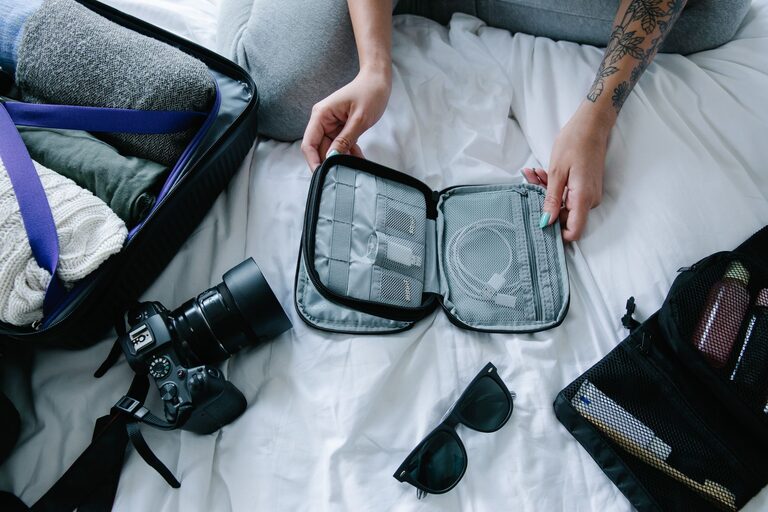
– For travel or work, keep a compact organizer with essential cables packed and ready.
– Avoid overloading power strips in one place to prevent heat buildup.
Step 6: Regular Maintenance
Cable organization isn’t a one-time task. Schedule regular checks to:
– Remove cables you no longer use.
– Re-tidy and roll up cords that become tangled.
– Clean storage spots to keep dust and dirt away from cables.
Extra Tips for a Neater Cable Setup
– Shorten excess cable: Use cable ties or winders to keep extra length from sprawling.
– Use wireless options where possible: Reducing cables can further simplify your setup.
– Mount power strips: Attaching power strips under the desk or behind furniture keeps cords off the floor.
– Plan your cable routes: Direct cables along walls or desk edges using clips or adhesive hooks to avoid crossing wires.
Final Thoughts
Organizing cables and chargers is a manageable task that improves your space’s look, functionality, and safety. By dedicating some time to sorting, labeling, and choosing the right storage, you can enjoy a clutter-free area that makes using your devices more enjoyable. Start small and adjust the system to fit your lifestyle — a neat cable setup is just a few simple steps away!